Stop Building in the Dark.
The visual design platform for SharePoint Architects.
Built by an end user who needed this tool. Powered by AI advancements that make it possible.
You're Getting In Early
Studio is in active development. Early adopters get beta pricing (locked in as long as you stay subscribed), direct influence on features, and priority support as we build this together.
We're transparent about where we are: Studio is functional, powerful, and being used by consultants right now—but it's evolving. Your feedback shapes what comes next.
Built by Someone Who Needed It
I'm Liza Tinker, and I've been designing SharePoint architectures for 25+ years. For decades, I struggled with the same problem every consultant faces: how do you design complex information architecture when all you have is PowerPoint and Visio?
I needed a tool that let me think visually, capture decisions in context, and generate governance documentation—all before touching a client's tenant. That tool didn't exist. So with the advancement of AI development tools, I was finally able to build it myself.
Studio isn't built by a software company trying to understand your work. It's built by an architect who lives this every day. Every feature exists because I needed it. Every workflow reflects how I actually design.
And because AI has made it possible for domain experts to build tools like this, Studio will keep evolving based on real-world consultant needs—not a product roadmap decided by people who've never designed a hub site.
What Consultants Are Saying
"This is awesome. I've been looking for something like this for years."
— SharePoint Consultant, Early Adopter
"Finally, a tool that actually understands how we work. This changes everything."
— Microsoft 365 Architect, Beta User
Everything You Need to Plan
Powerful tools designed specifically for SharePoint architects and consultants.
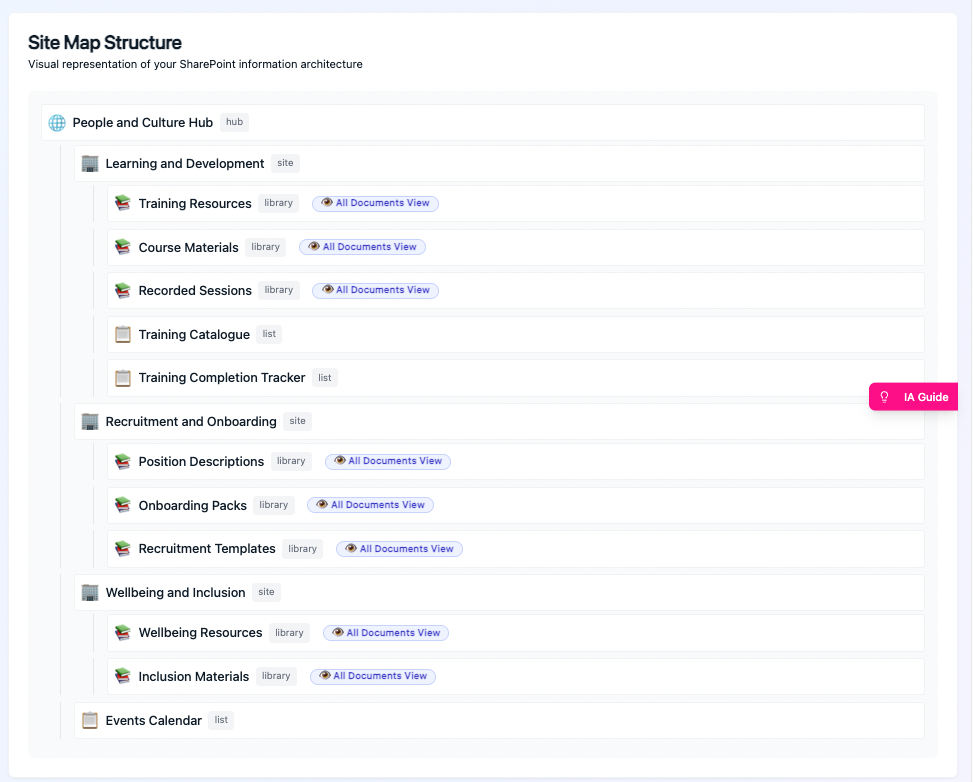
Visual Site Map Builder
Drag-and-drop hubs, sites, libraries, lists, and folders to visualize your entire structure. See the hierarchy instantly without clicking through endless SharePoint settings pages.
- Visualize Hubs, Sites, and Libraries in a single view
- Auto-detect navigation conflicts before you build
- Export clean diagrams for stakeholder sign-off
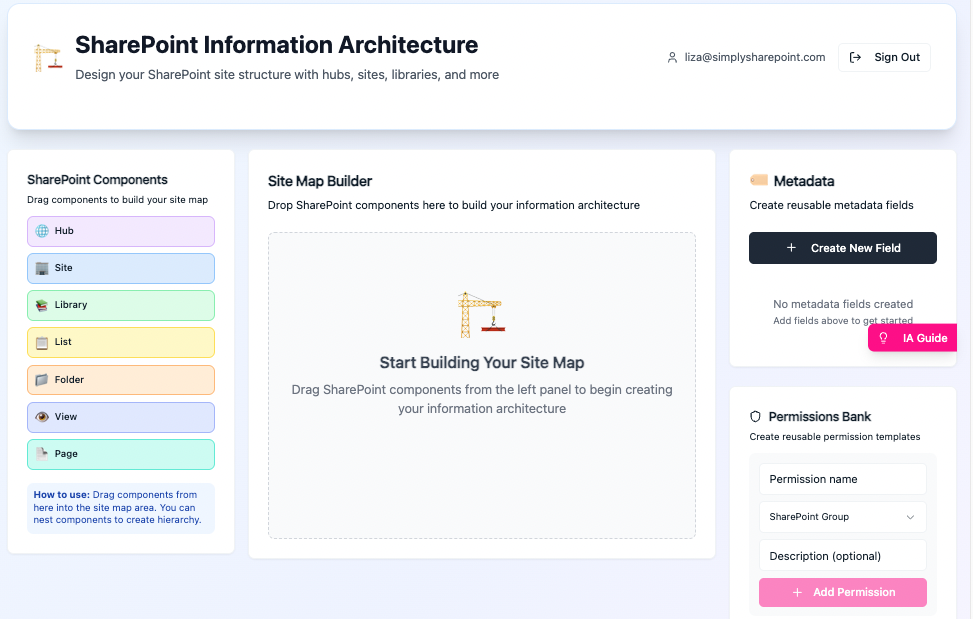
Metadata Field Designer
Stop using folders. Design custom metadata fields with validation rules, choice lists, and default values. Plan how your content will be tagged and found.
- Define global term sets and site columns visually
- Validate data types to ensure search works properly
- Map content types to libraries instantly
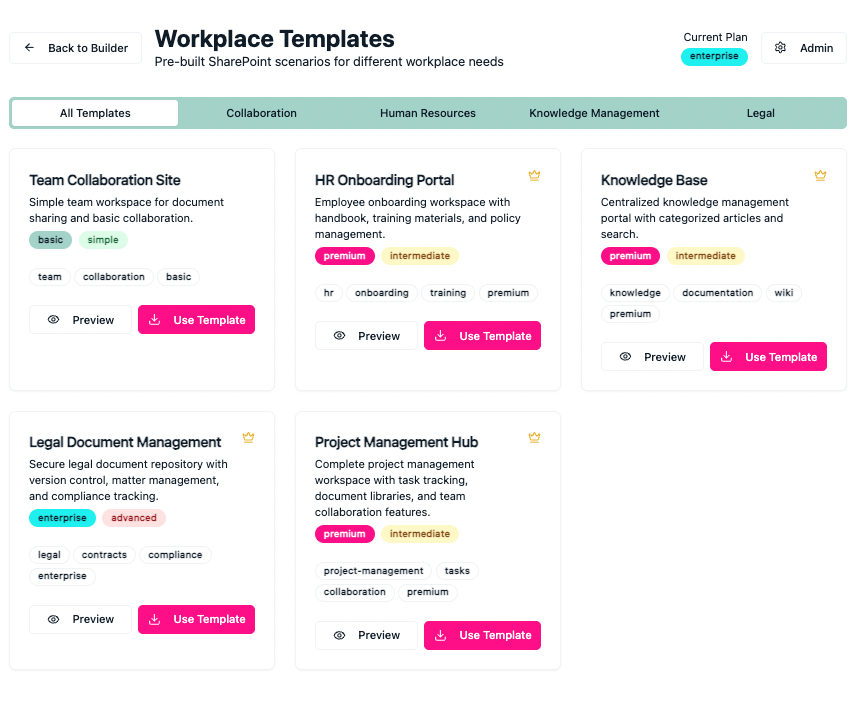
Workplace Templates
Don't start from scratch. Use pre-built scenarios for HR, Legal, Project Management, and more. Apply industry best practices with a single click.
- Pre-built templates for HR, Legal, Marketing, IT portals and more...
- Includes best-practice permissions and security rules
- Customizable to fit your specific governance needs
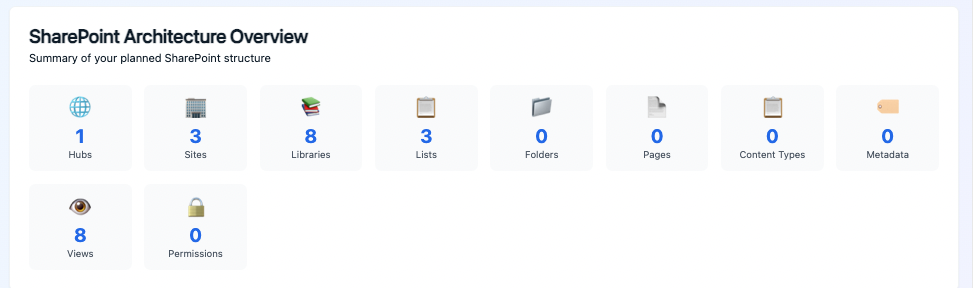
Professional Documentation
Export comprehensive architecture summaries and implementation guides. Give your stakeholders a clear plan and your developers a precise spec.
- One-click export of Governance Guides (Word/PDF)
- Auto-generated Permissions Matrix for IT audits
- Create 'Site Owner Manuals' for your end users
Try Studio Free for 7 Days
Design SharePoint architecture visually. No PowerPoint required.
Includes Fix the Mess™ Masterclass • 2 starter blueprints • No credit card required
Start with Ready-to-Use Blueprints
Each blueprint includes two components: a comprehensive 35-page implementation guide that walks you through architecture, metadata, governance, and roadmap, plus a pre-built Studio template with starter structure already configured. Deploy the template into Studio, then customize it using the guide or adapt it to your specific requirements.
Marketing Site
Complete marketing hub with campaign management, content library, social media, and events coordination.
HR Site
Human resources hub for employee management, onboarding, policies, and performance tracking.
Finance Site
Financial operations hub for budgeting, reporting, compliance, and vendor management.
Policies & Procedures
Centralized governance hub for organizational policies, procedures, and compliance documentation.
And More...
Additional blueprints for Project Management, IT Operations, Customer Service, and other common SharePoint scenarios.
High-Fidelity Previews
Generate pixel-perfect SharePoint prototypes that look and feel like the real thing—perfect for stakeholder demos and user testing.
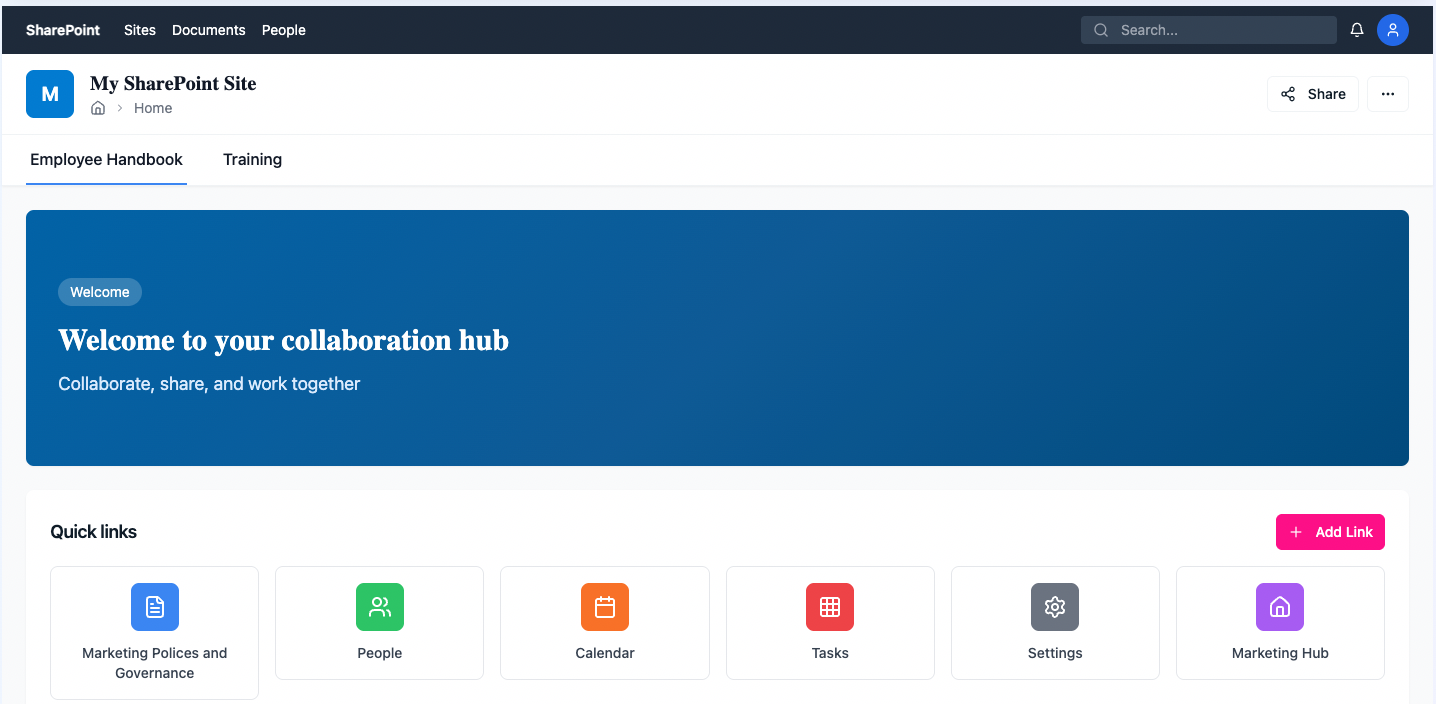
Realistic Homepage Layout
Show stakeholders exactly what the site will look like with real navigation, web parts, and content zones—all generated from your architecture plan.
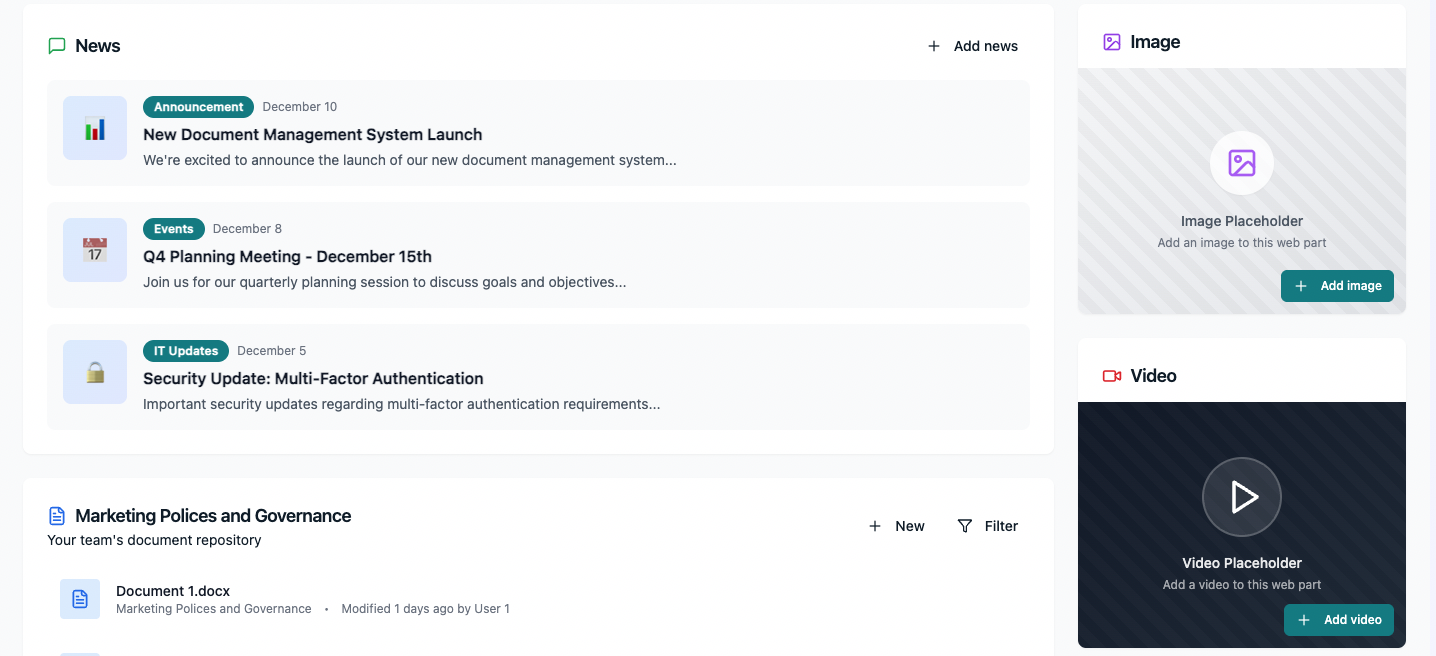
Interactive Content Pages
Demonstrate document libraries, news feeds, and team collaboration features with realistic data and permissions—before writing a single line of code.
Why Prototypes Win Projects
Get Sign-Off Faster
Stakeholders can see and click through the design, not just imagine it from a diagram.
Catch Issues Early
Identify navigation problems, permission gaps, and UX issues before implementation starts.
Justify Your Fees
Deliver a tangible asset that proves the value of your planning work to budget-conscious clients.
Simple, Transparent Pricing
Choose the plan that fits your needs. All plans include full access to the Studio and blueprints.
Individual
Perfect for solo consultants and architects
Get Started NowInstant access. Cancel anytime.
What's included:
- Full Studio access
- Unlimited projects
- All blueprints & toolkits
- AI Readiness Toolkit
Teams
For consulting firms & IT teams (5+ users)
Custom onboarding & team management
Everything in Individual, plus:
- Team user management
- Shared project libraries
- Volume pricing discount
- Priority support
Enterprise
For large organizations (25+ users)
Tailored solutions & dedicated support
Everything in Teams, plus:
- Custom blueprint creation
- White-labeling options
- Dedicated account manager
- SLA & premium support
Frequently Asked Questions
Everything you need to know about Fix the Mess™ Studio.
Stop Building in the Dark.
Join many SharePoint professionals who plan first and fix less. Get instant access to the studio and all bonus toolkits today.
Get Studio NowStarting at $49/month or $490/year • Teams & Enterprise available • Cancel anytime